





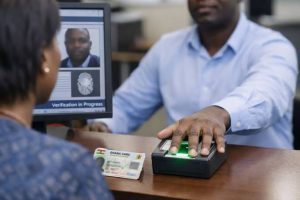



If you have entered the wrong MTN MoMo PIN three times, your account will be automatically blocked to protect your balance . This is a security measure, and getting your PIN reset is free. This ASJ guide shows you exactly how to regain access.
Why Your MoMo PIN Gets Blocked
Your MoMo wallet will automatically lock after three incorrect PIN entries . This happens whether you have simply forgotten the PIN, or someone has tried to guess it. Once it is blocked, you will need to reset the PIN before you can make any transactions.

How to Reset Your PIN
There are three official, free methods to reset your blocked PIN, depending on which is most convenient for you.
📢 GET A DETAILED ARTICLES + JOBS
Join ASJ's WhatsApp Channel and never miss a post or opportunity.

1. Call 100 (The Fastest Way)
Dialing 100 from your MTN number is the quickest and most direct method to get your PIN reset. The call is free .
Step-by-step instructions :

-
Dial 100 from the MTN line connected to your MoMo account.
-
Once the agent answers, tell them you need to reset your blocked MoMo PIN.
-
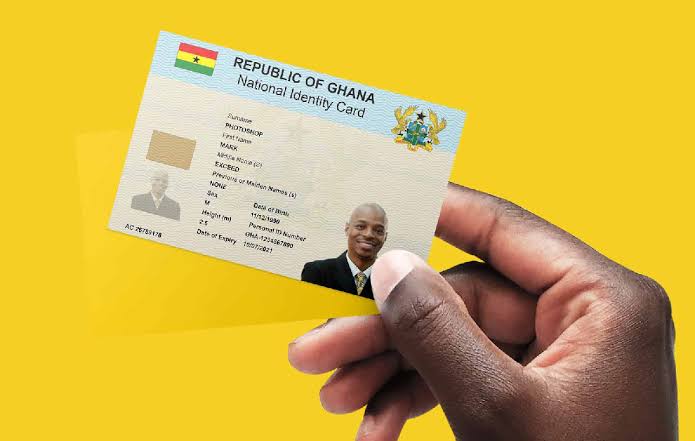
Be ready to verify your identity. The agent will ask for your Ghana Card number and possibly other details like your date of birth or a recent transaction .
-
Once verified, MTN will send a temporary 4-digit PIN to your phone via SMS.
-
Log into the MoMo menu with the temporary PIN and change it immediately . To do this, dial
*170#, select 6 (My Wallet), and then select Change PIN.
2. Visit an MTN Service Centre
If you prefer face-to-face help, visit any official MTN Service Centre . This is also a good option if you have lost access to the phone number or have a business account .
Step-by-step instructions:
-
Go to an MTN Service Centre.
-
Bring your physical Ghana Card .
-
Explain to the agent that you need to reset your blocked MoMo PIN.
-
The agent will verify your identity and provide a temporary PIN while you wait .
-
As with the phone method, you must then log in with the temporary PIN and change it immediately to a new one you can remember .
3. Self-Service PIN Reset (Conditions Apply)
If you have previously set up a Recovery Number on your account, you can reset your PIN yourself via the *170# menu . A Recovery Number is an alternative MTN number you have connected to your wallet that receives an OTP (One-Time Password) to verify your identity .
Step-by-step instructions via USSD :
-
Dial
*170# -
Select 6 (My Wallet).
-
Select 6 (Change & Reset PIN).
-
Follow the prompts to reset your PIN using the Recovery Number.
However, if you have not set up a Recovery Number, the Self-Service option will not work for resetting a blocked PIN. Instead, you will be directed to call 100 or visit a service centre .
Important Security Tips
MTN operates a strict “Never” policy for security. You should never share your MoMo PIN with anyone, even if they claim to be from MTN .
-
MTN will NEVER ask for your PIN over the phone, SMS, WhatsApp, or email .
-
MTN will NEVER ask you to transfer money “for verification” .
-
MTN will NEVER ask for your Ghana Card details over the phone .
The only time MTN sends you a PIN is the temporary PIN at reset time, which will come from an official MTN shortcode .
Quick Facts: Resetting Your MTN MoMo PIN
| Topic | Details |
|---|---|
| Dormancy/Blocking Trigger | 3 incorrect PIN entries |
| First Option: Call 100 | Free call from MTN; requires Ghana Card for identity verification |
| Second Option: MTN Service Centre | In-person verification; bring your Ghana Card |
| Self-Service Option | Requires a pre-set Recovery Number on your account |
| Cost | Free of charge |
| Security | MTN never asks for your PIN; only sends a temporary PIN at reset |
Frequently Asked Questions
1. How do I unblock my MTN MoMo PIN?
You can unblock your PIN by calling 100 from your MTN number or visiting an MTN Service Centre. The service is free, but you will need your Ghana Card for identity verification .
2. What happens if I enter the wrong MoMo PIN 3 times?
Your wallet will be automatically blocked to protect your balance . You will then need to follow the reset procedure to regain access.

3. How much does it cost to reset my MTN MoMo PIN?
It is completely free to reset your PIN by calling 100 or visiting an MTN Service Centre .
4. Can I reset my MoMo PIN myself without calling anyone?
Yes, if you have previously set up a Recovery Number. You can then use the *170# menu to reset the PIN. If you have not set one up, you must call 100 or visit a service centre
Source: Accra Street Journal
Last Updated on September 5, 2026 by Samuel Kwame Boadu
Disclaimer: Some content on Accra Street Journal may be aggregated, summarized, or edited from third-party sources for informational purposes. Images and media are used under fair use or royalty-free licenses. Accra Street Journal is a subsidiary of SamBoad Publishing Hub under SamBoad Business Group Ltd, registered in Ghana since 2014.
For concerns or inquiries, please visit our Privacy Policy or Contact Page.

Samuel Kwame Boadu is a Ghanaian media entrepreneur and storyteller with a passion for amplifying urban voices and uncovering everyday truths. He is the Editor-in-Chief and Founder of Accra Street Journal, a dynamic digital platform dedicated to capturing the pulse of Ghana’s capital—its people, culture, challenges, business, sports and innovations.