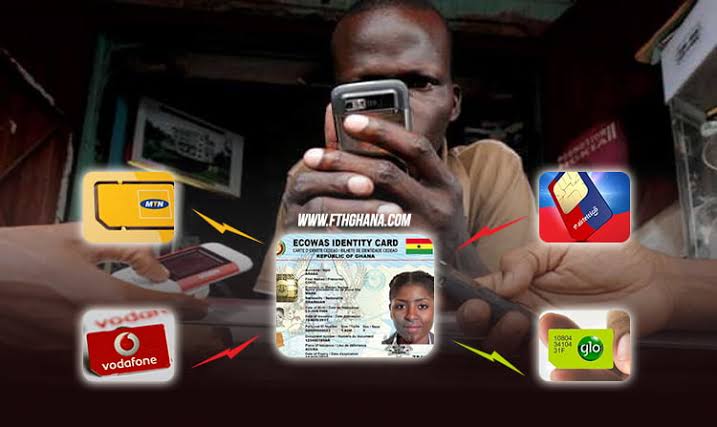









There is a quiet risk sitting in many pockets across Ghana right now.
Not a broken phone. Not expired data.

A SIM card that looks active — but is not fully registered.
📢 GET A DETAILED ARTICLES + JOBS
Join ASJ's WhatsApp Channel and never miss a post or opportunity.

And for users on AT Ghana, this is more common than most people realize.
You can make calls today and still wake up tomorrow to a blocked line.

You can send mobile money now and suddenly lose access without warning.
The problem is not just registration.
It is false confidence.
Many people believe they have completed the process when, in reality, they have only done part of it.
This guide does not just explain the issue.
It shows you exactly how to check, confirm, and fix it — properly.
The first mistake: assuming registration is one step
SIM registration in Ghana is not a single action.
It is a three-stage process, and missing one stage is enough to get your SIM flagged later.
Here is what actually needs to happen:
- You must have a valid Ghana Card from the National Identification Authority
- Your SIM must be linked to that Ghana Card
- Your biometric data must be captured and verified
Most people complete step one and two.
Many never fully complete step three.
That is where the problem starts.

What most people do — and why it fails
A typical user story goes like this:
- You went to register your SIM
- You presented your Ghana Card
- Your SIM continued working
So you assumed everything was fine.
But in many cases:
- Biometric verification was not completed properly
- The system did not sync your data fully
- Your record remained “pending” in the backend
You won’t see this.
There is no alert. No warning.
Until one day, your SIM is restricted.
Step 1: The USSD check (what it does — and what it doesn’t)
Start with the basic check.
Dial:
*404#
On AT Ghana, this is the closest thing to a registration check.
What you may see:

- Prompts to re-register
- Ghana Card linkage options
- Status-related messages
But here is the truth most people are not told:
This code does not guarantee full verification status.
It does not confirm:
- Whether your biometric capture is complete
- Whether your SIM is flagged internally
- Whether you are at risk of disconnection
So treat this as a surface-level check only.
Step 2: Use mobile money as a real-world test
Now do something more practical.
Dial:
*110# (AT Money)
Try:
- Sending a small amount
- Checking your wallet
- Accessing full menu options
Here is what you are looking for:
If everything works smoothly → good sign
If you see errors like:
- “Account restricted”
- “KYC incomplete”
- Failed transactions
That is not a network issue.
It is often a registration problem.
Because mobile money systems depend on verified identity, they expose issues faster than USSD checks.
Step 3: The only reliable confirmation (no shortcuts here)
This is where most people try to avoid — and end up paying for it later.
Go to an AT Ghana service center.
Not a SIM vendor. Not a roadside agent.
A proper office.
Ask them directly:
“Check if my SIM is fully registered, Ghana Card linked, and biometrically verified.”
Be specific.
Because if you just say “check my SIM,” you may get a vague answer.
What they will check internally:
- Ghana Card linkage status
- Biometric verification completion
- System flags or pending issues
And this is the key:
Do not leave until they confirm clearly:
“Your SIM is fully compliant and will not be blocked.”
Anything less is uncertainty.
Step 4: Fixing the problem properly
If your SIM is not fully registered, here is what to do immediately:
Bring:
- Your Ghana Card
- Your active SIM
Request:
“Full SIM re-registration and biometric verification.”
Not partial. Not update.
Full process.
Then confirm:
- Ask them to re-check after completion
- Ensure your details reflect correctly
- Ask if there are any pending issues
This step removes the “silent risk.”
Why this problem keeps happening
There are structural reasons behind this confusion.
Ghana’s SIM registration system involves:
- Telecom operators like AT Ghana
- National identity systems
- Biometric verification databases
These systems do not always sync instantly or perfectly.
So you can complete a process physically — but remain incomplete digitally.
That gap is where most users fall.
Why AT Ghana users feel it more
This is not exclusive to one network.
But feedback suggests users of AT Ghana encounter more uncertainty.
Possible reasons include:
- Less aggressive communication compared to competitors
- Fewer digital self-check tools
- Greater reliance on physical verification
Meanwhile, networks like MTN Ghana have invested heavily in user-facing systems that reduce ambiguity.
That difference matters.
Because clarity builds trust.
Warning signs you should not ignore
Act immediately if you notice:
- You receive “re-register your SIM” messages
- Mobile money starts failing
- Your SIM gets temporarily restricted
- Network access becomes inconsistent without reason
These are early signals — not random issues.
The reality most people ignore
A working SIM is not proof of a verified SIM.
That is the biggest misconception in Ghana right now.
Your line can function normally — until the system enforces compliance.
And when it does, it happens instantly.
Final word
This is not about panic.
It is about awareness.
Take five minutes.
Run the checks.
Confirm properly.
Because in today’s Ghana, your SIM is not just a communication tool.
It is your identity, your wallet, and your access point to daily life.
And leaving that in an uncertain state is a risk you don’t need to take.
FAQs
What is the USSD code to check AT Ghana SIM registration?
Dial *404#, but note that it may not show full verification status.
How do I know if my SIM is fully verified?
The only reliable way is to confirm at an AT Ghana service center where they can check backend status.
Why is my SIM blocked even though it was registered?
Because registration may be incomplete — especially biometric verification or system synchronization.
Can mobile money reveal SIM issues?
Yes. If AT Money (*110#) shows restrictions, your SIM may not be fully verified.
What is the safest way to avoid SIM blockage?
Visit a service center and complete full re-registration with biometric verification, then confirm status before leaving.
Source: Accra Street Journal
Last Updated on May 1, 2026 by Samuel Kwame Boadu
Disclaimer: Some content on Accra Street Journal may be aggregated, summarized, or edited from third-party sources for informational purposes. Images and media are used under fair use or royalty-free licenses. Accra Street Journal is a subsidiary of SamBoad Publishing Hub under SamBoad Business Group Ltd, registered in Ghana since 2014.
For concerns or inquiries, please visit our Privacy Policy or Contact Page.

Samuel Kwame Boadu is a Ghanaian media entrepreneur and storyteller with a passion for amplifying urban voices and uncovering everyday truths. He is the Editor-in-Chief and Founder of Accra Street Journal, a dynamic digital platform dedicated to capturing the pulse of Ghana’s capital—its people, culture, challenges, business, sports and innovations.