





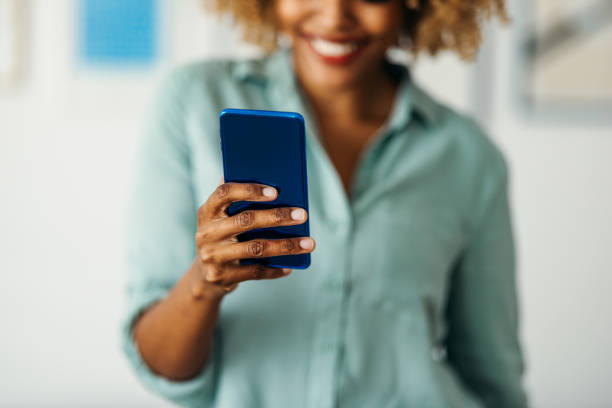
Paying your Ghana Water bill through mobile money is fast and convenient. You no longer need to queue at the office. This ASJ guide shows you the different ways to pay using MTN MoMo, Telecel Cash, or AirtelTigo Money.
Why Pay with Mobile Money?
Ghana Water Limited (GWL) has been pushing customers to pay their bills digitally. The Managing Director has said that only 20 to 30 percent of domestic users pay their bills digitally—a situation the company describes as a major operational challenge. To fix this, GWL has been educating customers on how to use mobile money to settle their bills.

The company has also deployed 200 National Service Personnel into communities to help customers understand how to use the MoMo app to pay. This is part of a broader push to reduce the high amount of unpaid bills, which stood at GH¢916 million as of June 2026.
📢 GET A DETAILED ARTICLES + JOBS
Join ASJ's WhatsApp Channel and never miss a post or opportunity.

Paying by mobile money saves you time, helps you avoid queues, and gives you a record of your payment. Plus, GWL is actively encouraging this method, so it is likely to become even easier in the future.
Three Ways to Pay with Mobile Money
1. The GWCL Electronic Billing App
The GWCL App is the most comprehensive option. It allows customers to have full control of their meter accounts and make payments anytime, anywhere. The app is integrated with all major payment gateways, including MTN Mobile Money and Vodafone Cash.

Step-by-step instructions:
-
Download the GWCL App from the Google Play Store or Apple App Store.
-
Register your meter account number.
-
When you are ready to pay, select MTN Mobile Money or Vodafone Cash as your payment method.
-
Follow the prompts to complete the payment.
The app also lets you view your current and previous transactions. This gives you a complete record of your water usage and payments.
2. The USSD Code (*1010#)
If you do not have a smartphone or prefer a simpler method, the USSD code is your best bet. GWL introduced a USSD code to allow customers to pay their water bills without visiting the office.
Step-by-step instructions:
-
Dial *1010# on any network.
-
Follow the prompts to check your balance or make a payment.
-
You can also get an OTP using *1010*1010# for the app.
The USSD method is the fastest way to pay. It works on any phone and does not require an internet connection.
Tip: Some sources suggest using the USSD option over the app for better reliability. According to the official app description, “we suggest you use the USSD option; *1010# and follow the process”.
3. Paying Through Your Mobile Money Menu
You can also pay directly through your mobile money service provider. This method is widely available and works well.
Step-by-step instructions:
-
Dial the shortcode for your mobile money provider (e.g., *170# for MTN, or *110# for Telecel/AirtelTigo).
-
Select Pay Bill or Pay Utility.
-
Select Ghana Water or enter the GWCL payment code.
-
Enter your meter account number.
-
Enter the amount you want to pay.
-
Confirm the payment with your PIN.
If you are unsure about the codes, you can also visit a mobile money agent and ask them to process the payment for you. Agents may charge a small service fee.
Important: The portal and USSD codes will not accept partial payments. You must pay the full outstanding amount.
Tips for a Smooth Mobile Money Payment
-
Know Your Meter Account Number: This is the most important piece of information you need. Without it, you cannot check your bill or pay it.
-
Pay the Full Amount: You cannot make partial payments through the digital platforms. Make sure you know your total outstanding bill before you start.
-
Check Your Network: MTN Mobile Money has the widest coverage for GWCL payments. Telecel and AirtelTigo work well in cities but may time out in rural areas where network is weak.
-
Keep Your Confirmation: After you pay, you will receive a confirmation message. Keep this as proof of payment.
Customer Care Contact
If you have any issues with your payment, you can contact GWL directly:

| Contact Channel | Details |
|---|---|
| Call Centre | 0302218240 (all networks) |
| Toll-Free | 0800 40 000 (Telecel lines only) |
| Alternative Numbers | 0207385089, 0207385090 |
| 0555123393, 0555155524 |
Quick Facts
| Topic | Details |
|---|---|
| Payment Options | MTN MoMo, Telecel Cash, Vodafone Cash |
| Best Network Coverage | MTN MoMo |
| USSD Code | *1010# |
| App Name | GWCL Electronic Billing App |
| App Availability | Google Play & Apple App Store |
| Minimum Payment | Full amount only (no partial payments) |
| Agent Assistance | Available but may charge GHS 2–5 fee |
Frequently Asked Questions
1. Can I pay my Ghana Water bill with mobile money?
Yes. You can pay through the GWCL App, the USSD code *1010#, or directly through your mobile money provider’s menu.
2. What are the mobile money options for GWCL payments?
The GWCL App is integrated with MTN Mobile Money, Vodafone Cash, and other payment gateways. MTN has the widest coverage for GWCL payments.
3. What is the USSD code for Ghana Water bill payment?
The USSD code is *1010#. Dial this on any network to check your bill and make payments.
4. Can I pay my water bill without a smartphone?
Yes. You can use the USSD code (*1010#) from any feature phone. You can also visit a mobile money agent and ask them to process the payment for you.
5. Can I make a partial payment for my water bill?
No. The portal and USSD codes will not accept partial payments. You must pay the full amount outstanding on your account.
6. How do I contact Ghana Water if I have payment issues?
You can call 0302218240 for all networks or use the toll-free line 0800 40 000 for Telecel lines. You can also contact them via WhatsApp at 0555123393 or 0555155524
Source: Accra Street Journal
Last Updated on September 6, 2026 by Samuel Kwame Boadu
Disclaimer: Some content on Accra Street Journal may be aggregated, summarized, or edited from third-party sources for informational purposes. Images and media are used under fair use or royalty-free licenses. Accra Street Journal is a subsidiary of SamBoad Publishing Hub under SamBoad Business Group Ltd, registered in Ghana since 2014.
For concerns or inquiries, please visit our Privacy Policy or Contact Page.


Samuel Kwame Boadu is a Ghanaian media entrepreneur and storyteller with a passion for amplifying urban voices and uncovering everyday truths. He is the Editor-in-Chief and Founder of Accra Street Journal, a dynamic digital platform dedicated to capturing the pulse of Ghana’s capital—its people, culture, challenges, business, sports and innovations.