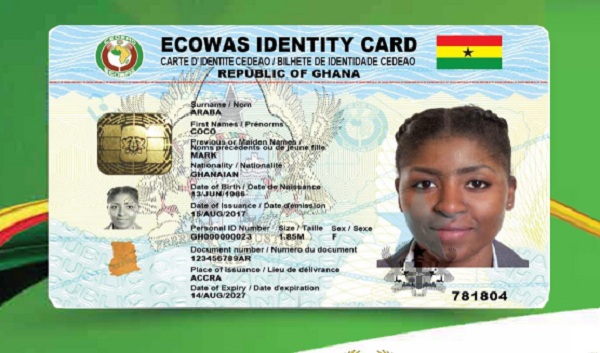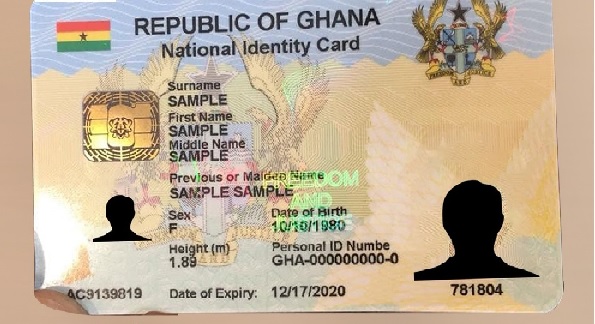










There is a growing problem many Ghanaians don’t realize until it is too late.
Their SIM is linked to a Ghana Card — but the details are wrong, outdated, or incomplete.

And when that happens, the system does not negotiate. It flags, restricts, or blocks.
📢 GET A DETAILED ARTICLES + JOBS
Join ASJ's WhatsApp Channel and never miss a post or opportunity.

For subscribers on AT Ghana, updating Ghana Card details on a SIM is no longer optional. It is a necessary step to stay compliant, especially after changes like:
- New Ghana Card issuance
- Corrections to personal details
- SIM ownership transfers
- Re-registration errors
Yet many people approach this process casually — and that is where problems begin.

Because updating your Ghana Card on your SIM is not just about “changing details.”
It is about making sure your identity matches perfectly across multiple systems.
Why updating your Ghana Card matters more than before
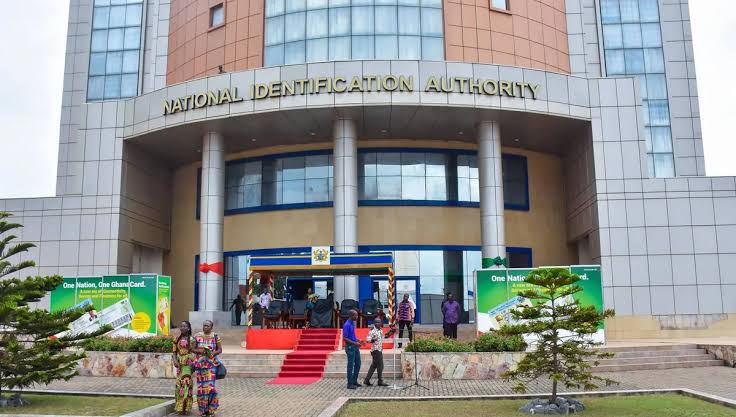
Ghana’s telecom system is now tightly integrated with the national identity database managed by the National Identification Authority.
This means your SIM record is constantly being cross-checked against:
- Your official Ghana Card data
- Biometric records
- National identity verification systems
If anything does not match — even slightly — your SIM can be flagged.
This is why people experience situations where:
- Their SIM was working before
- They updated or re-registered
- Then suddenly, issues started
The update itself is not the problem.
The problem is how it was done.
The biggest misconception: “I updated it, so I’m safe”
Most users assume that once they present a new or corrected Ghana Card, the system automatically updates everything correctly.
That assumption is dangerous.

Because updating involves three separate confirmations:
- Your new Ghana Card details are correctly captured
- The old SIM record is properly replaced or overwritten
- The system successfully verifies and syncs the new data
Miss one of these, and your SIM remains at risk.
When should you update your Ghana Card on your SIM?
You should not wait for problems.
Update immediately if:
- You replaced your Ghana Card
- You corrected your name, date of birth, or ID details
- Your SIM was registered with incorrect information
- You took over ownership of a SIM from someone else
- You received repeated SIM re-registration messages
Waiting increases the risk of sudden restriction.
The correct way to update your Ghana Card (step-by-step)
This is where most people get it wrong — they rush through the process or rely on informal agents.
Here is the proper method.
Step 1: Go to an official service center
Do not rely on roadside vendors.
Visit a recognized office of AT Ghana.
Bring:
- Your Ghana Card
- The SIM (in your phone)
Step 2: Be specific about your request
Do not say:

“Update my SIM.”
Say clearly:
“I want to update my Ghana Card details and complete full SIM verification.”
This matters because:
- “Update” can be treated as a partial change
- “Full verification” triggers a complete backend process
Step 3: Re-capture biometric data
Even if you have done it before, insist on it.
This ensures:
- Your new data is linked correctly
- The system does not rely on outdated records
Skipping this step is one of the main reasons updates fail.
Step 4: Verify your details on the spot
Before leaving, confirm:
- Full name (exact spelling)
- Date of birth
- Ghana Card number
Even small errors can trigger system rejection later.
Step 5: Confirm final system status
Ask directly:
- “Is my SIM fully updated and verified?”
- “Are there any pending issues or flags?”
Do not accept vague answers.
You want a clear confirmation that your SIM is fully compliant.
Why updates fail (even when you do everything)
This is where many people lose confidence.
They follow the process — yet still face problems.
Here are the real reasons:
1. Data mismatch between systems
If your Ghana Card database and telecom database do not align perfectly, verification fails.
2. Incomplete system synchronization
Sometimes updates are done locally but not fully synced across national systems.
3. Partial updates
Only part of your record is updated, leaving old data in the system.
4. Human error during entry
A simple typo can create a mismatch.
How to know your update did not work
Watch for these signs:
- You still receive SIM re-registration messages
- Mobile money shows KYC-related errors
- Your SIM gets restricted after updating
- Some services stop working
If any of these happen, assume the update failed — and act quickly.
A practical way to test your SIM after updating
After completing the update:
- Dial
*404#→ check for any prompts - Dial
*110#→ test AT Money functionality
If everything works smoothly, that is a good sign.
But remember — these are indicators, not final proof.
The hidden risk many people ignore
Some users update their Ghana Card details but do not realize:
Their SIM is still tied to old or duplicate records in the system.
This creates:
- Conflicts during verification
- Future compliance issues
- Unexpected SIM blockage
That is why a clean, full update matters — not just a quick fix.
Why this issue is more visible on AT Ghana
Users of AT Ghana often report more confusion around updates.
Possible reasons include:
- Less transparent feedback systems
- Limited self-service verification tools
- Greater reliance on physical processes
In contrast, competitors like MTN Ghana and Telecel Ghana have invested more in user-facing systems that reduce uncertainty.
That difference affects user experience significantly.
Final word
Updating your Ghana Card on your SIM is not a routine task anymore.
It is a critical verification process that determines whether your number remains active, secure, and usable.
Do it carefully.
Confirm it properly.
Do not assume it worked.
Because in Ghana’s current telecom system, small errors are not ignored.
They are recorded — and eventually enforced.
FAQs
How do I update my Ghana Card on my AT Ghana SIM?
Visit an official service center, request full update and verification, complete biometric capture, and confirm system status before leaving.
Can I update my SIM details online?
No. Full updates require in-person verification due to biometric requirements.
Why does my SIM still have issues after updating?
Because the update may be incomplete, incorrectly entered, or not fully synced across systems.
Is biometric verification required again?
Yes, especially after major updates or corrections.
How do I confirm my update worked?
Test with *404# and *110#, but for full certainty, confirm at a service center.
Source: Accra Street Journal
Last Updated on October 21, 2026 by Samuel Kwame Boadu
Disclaimer: Some content on Accra Street Journal may be aggregated, summarized, or edited from third-party sources for informational purposes. Images and media are used under fair use or royalty-free licenses. Accra Street Journal is a subsidiary of SamBoad Publishing Hub under SamBoad Business Group Ltd, registered in Ghana since 2014.
For concerns or inquiries, please visit our Privacy Policy or Contact Page.

Samuel Kwame Boadu is a Ghanaian media entrepreneur and storyteller with a passion for amplifying urban voices and uncovering everyday truths. He is the Editor-in-Chief and Founder of Accra Street Journal, a dynamic digital platform dedicated to capturing the pulse of Ghana’s capital—its people, culture, challenges, business, sports and innovations.