





Introduction: Power at Your Fingertips
Gone are the days of rushing to a vendor before they close, standing in long queues, or scrambling for cash when your lights go out at midnight. The Electricity Company of Ghana (ECG) has gone fully cashless, and all legitimate payments must now be made through digital platforms .
The good news? You have multiple ways to buy prepaid credit using mobile money (MoMo). And even better news: ECG has confirmed that transactions made through the ECG PowerApp or the USSD short code *226# do NOT attract mobile money charges or E-Levy fees .

This Accra Street Journal guide walks you through three proven methods to buy ECG prepaid credit using mobile money. Choose the one that works best for you.
📢 GET A DETAILED ARTICLES + JOBS
Join ASJ's WhatsApp Channel and never miss a post or opportunity.

Before You Start: What You’ll Need
| Item | Where to Find It |
|---|---|
| Meter number | Printed on your meter or on any old purchase receipt |
| Mobile money wallet | MTN MoMo, Telecel Cash, or AT Money with sufficient balance |
| Phone | Any mobile phone (smartphone or feature phone) |
Important: Always double-check your meter number before making any payment. Entering the wrong meter number means the credit will go to someone else’s meter, and it cannot be transferred .
Method 1: Use the Official ECG USSD Code *226# (Fastest, Works on Any Phone)
This is the quickest method and works on any mobile phone—smartphone or feature phone. No internet connection required .

Step-by-Step Instructions
| Step | Action |
|---|---|
| 1 | Dial *226# from the mobile number linked to your MoMo wallet |
| 2 | Select “Pay Prepaid/Postpaid” from the menu |
| 3 | Choose your meter or select “Add Meter” if you haven’t registered it before |
| 4 | Enter the amount you want to purchase (e.g., 50, 100) |
| 5 | Select your mobile money wallet (MTN MoMo, Telecel Cash, or AT Money) |
| 6 | Confirm the transaction details |
| 7 | Enter your mobile money PIN to authorize the payment |
| 8 | Wait for the confirmation SMS containing your 20-digit token |
Important: If your credit doesn’t load automatically after entering the token, you may need to enter the 20-digit token manually into your meter .
No Extra Charges: ECG has confirmed that transactions via *226# do not attract mobile money charges or E-Levy fees .
Method 2: Use the ECG PowerApp (Best for Smartphone Users)
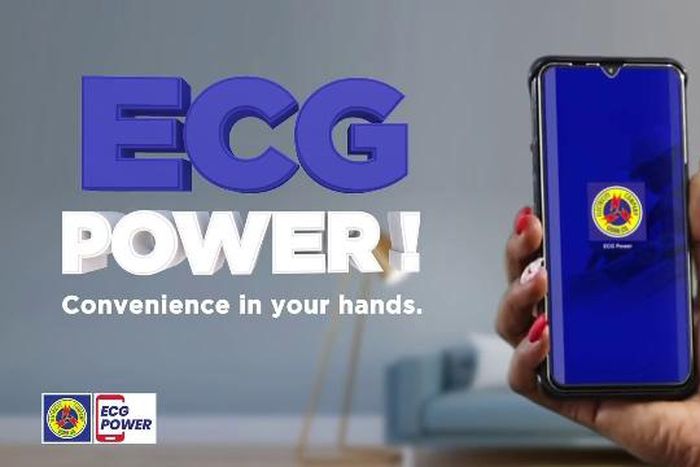
If you have a smartphone, the ECG PowerApp offers the most features. You can buy credit, check your balance, track your daily consumption, and view your transaction history—all in one place .
Step 1: Download and Install
| Platform | Where to Find It |
|---|---|
| Android | Google Play Store – search “ECG PowerApp” |
| iOS | Apple App Store – search “ECG PowerApp” |
Requirements: Android 7.0 or later / iOS 13.0 or later. App size: approximately 109 MB .
Step 2: Register and Add Your Meter
| Step | Action |
|---|---|
| 1 | Open the ECG PowerApp and create an account |
| 2 | Navigate to the “Meters” tab |
| 3 | Tap “Add Prepaid Meter” |
| 4 | Enter your meter number exactly as it appears on your meter |
| 5 | Follow the prompts to complete registration |
Step 3: Buy Prepaid Credit
| Step | Action |
|---|---|
| 1 | In the “Meters” section, select the meter you want to top up |
| 2 | Tap “Buy Credit” |
| 3 | Enter the amount you want to purchase |
| 4 | Select your payment method (MTN MoMo, Telecel Cash, or AT Money) |
| 5 | Review the transaction details and confirm |
| 6 | Enter your mobile money PIN when prompted |
| 7 | Your token will appear in the app and also be sent via SMS |
Pro Tip: The app stores your transaction history, making it easy to retrieve a lost token later .
Method 3: Use Your Mobile Network Provider’s MoMo Menu
You can also buy ECG prepaid credit directly through your mobile network’s MoMo menu. Here’s how for each network :
MTN MoMo (*170#)
| Step | Action |
|---|---|
| 1 | Dial *170# |
| 2 | Select “MoMoPay & Pay Bills” |
| 3 | Choose “Pay Bill” |
| 4 | Select “Utilities” |
| 5 | Choose “ECG” |
| 6 | Select “Pay ECG Bill” |
| 7 | If your meter is not linked, select “ECG Link Meter” first |
| 8 | Choose your meter, enter the amount, and confirm with your MoMo PIN |
Telecel T-Cash (*110#)
| Step | Action |
|---|---|
| 1 | Dial *110# |
| 2 | Select “Make Payments” |
| 3 | Choose “Pay Bill” |
| 4 | Select “Utilities” |
| 5 | Choose “ECG” |
| 6 | Select “Make Payment” |
| 7 | Choose your meter, enter the amount, and confirm with your PIN |
ATMoney (*110#)
| Step | Action |
|---|---|
| 1 | Dial *110# |
| 2 | Select “Pay Bill” |
| 3 | Choose “Pay Bill” again |
| 4 | Select “Utilities” |
| 5 | Choose “ECG” |
| 6 | Select “Prepaid” |
| 7 | Choose your meter, enter the amount, and confirm with your PIN |
Note: Some users experience failed transactions with ATMoney. If this happens, try using Method 1 (*226#) or the ECG PowerApp instead .
What to Do After Buying Credit
If Your Meter Is Smart (Online)
Most smart prepaid meters connected to ECG’s system will automatically receive the credit. You don’t need to enter anything manually.
If Your Meter Is Offline or Older
You will receive a 20-digit token via SMS. Enter it manually into your meter:

| Step | Action |
|---|---|
| 1 | Go to your prepaid meter |
| 2 | Use the keypad to enter the 20-digit token carefully |
| 3 | Press the “Enter” button (usually a green key) |
| 4 | Wait for the confirmation beep or light indicator showing a successful recharge |
Check Your Balance
After adding credit, you can check your remaining balance by:
-
Pressing “07” on most keypad meters
-
Using the ECG PowerApp dashboard
-
Dialing
*226#and selecting “Check Balance”
Troubleshooting Common Issues
| Problem | Likely Cause | Solution |
|---|---|---|
| No token received after payment | SMS delay or network issue | Check your SMS inbox; also check the ECG PowerApp transaction history; dial *226# to retrieve token |
| Payment deducted but no credit added | System delay or meter offline | Wait 10-15 minutes. If still not reflected, contact ECG with your transaction ID |
| Token not loading onto meter | Incorrect entry or meter needs reset | Re-enter the token carefully. For NURI meters, press and hold the “Display” button until “Relay” appears, then re-enter |
| “CRC value not equal” error | Meter needs STS upgrade | This is a known issue. Contact ECG at 0302 611 611 for a free meter upgrade |
| App not working | System upgrade in progress | Use USSD *226# as an alternative, or purchase from a physical vendor |
Safety and Security Tips
Protect Yourself from Scams
ECG does not have any private mobile money accounts. All legitimate payments must go through the ECG PowerApp or the official short code *226# .
| Warning Sign | What to Do |
|---|---|
| Someone calls demanding payment to “release” your token | Hang up – ECG will never ask for payment over the phone |
| Unknown person offers to retrieve your token for a fee | Decline – ECG customer service is free |
| Caller asks for your mobile money PIN | Never share – ECG will never ask for your PIN |
Best Practices
-
Always double-check your meter number before confirming any payment
-
Save transaction confirmations until you have successfully loaded the token and power is restored
-
Take a screenshot of your token immediately after purchase
-
Use only official channels: ECG PowerApp,
*226#, or your network’s MoMo menu
Summary: Which Method Should You Use?
| Method | Best For | Internet Required | Speed |
|---|---|---|---|
*226# (USSD) |
Quick purchases, any phone | No | Fastest |
| ECG PowerApp | Full account management, tracking usage | Yes | Fast |
| Network MoMo menu | Users already comfortable with their network’s menu | No | Moderate |
All three methods work. Choose the one you find most convenient.
Frequently Asked Questions (FAQs)
1. Does MoMo charge a transaction fee for ECG prepaid purchases?
No. ECG has confirmed that transactions via the ECG PowerApp or USSD code *226# do not attract mobile money charges or E-Levy fees .
2. What is the official ECG short code for buying prepaid credit?
The official ECG short code is *226#. This is the only USSD code ECG uses for its cashless payment system .
3. Can I buy ECG prepaid credit at any time of day?
Yes. Both the ECG PowerApp and the USSD code *226# are available 24/7 .
4. How long does it take for my purchase to reflect?
Purchases usually reflect immediately. In rare cases, it may take a few minutes due to network delays .
5. What should I do if I entered the wrong meter number?
The token cannot be transferred to a different meter. You must purchase new credit with the correct meter number. Contact ECG to request a refund for the erroneous purchase .
6. How can I retrieve a lost token?
Check your SMS messages, open the ECG PowerApp to view transaction history, or dial *226# to retrieve it. If all else fails, contact ECG customer service at 0302 611 611 .
7. Does ECG still accept cash payments?
No. ECG has gone fully cashless and no longer accepts physical cash for any transactions, including bill payments, meter services, fees, or other charges .
8. How do I contact ECG if I have a problem?
Call ECG’s customer service line at 0302 611 611, WhatsApp +233 302 611 611, or email [email protected] .
Conclusion From ASJ
Buying ECG prepaid credit using mobile money is fast, convenient, and secure. Whether you choose the USSD code *226# for quick purchases on any phone, the ECG PowerApp for full account management, or your network’s MoMo menu, you have options that work for your situation.
Remember: always double-check your meter number, keep your transaction confirmations, and never share your mobile money PIN with anyone claiming to be from ECG.
The lights don’t have to go out. Keep your meter topped up from wherever you are, whenever you need to.
Frequently Asked Questions (FAQs)
1. Does MoMo charge a transaction fee for ECG prepaid purchases?
No. ECG has confirmed that transactions via the ECG PowerApp or USSD code *226# do not attract mobile money charges or E-Levy fees .
2. What is the official ECG short code?
The official ECG short code is *226#. This is the only USSD code ECG uses for its cashless payment system .
3. Can I buy ECG prepaid credit 24/7?
Yes. Both the ECG PowerApp and the USSD code *226# are available 24/7 .
4. How long does it take for my purchase to reflect?
Purchases usually reflect immediately. In rare cases, it may take a few minutes due to network delays .
5. What if I entered the wrong meter number?
The token cannot be transferred. Purchase new credit with the correct meter number and contact ECG for a refund .
6. How can I retrieve a lost token?
Check your SMS, use the ECG PowerApp transaction history, dial *226#, or call ECG customer service at 0302 611 611 .
7. Does ECG still accept cash payments?
No. ECG has gone fully cashless and no longer accepts physical cash for any transactions .
8. How do I contact ECG for help?
Call 0302 611 611, WhatsApp +233 302 611 611, or email [email protected]
Source: Accra Street Journal
Last Updated on April 12, 2026 by Samuel Kwame Boadu
Disclaimer: Some content on Accra Street Journal may be aggregated, summarized, or edited from third-party sources for informational purposes. Images and media are used under fair use or royalty-free licenses. Accra Street Journal is a subsidiary of SamBoad Publishing Hub under SamBoad Business Group Ltd, registered in Ghana since 2014.
For concerns or inquiries, please visit our Privacy Policy or Contact Page.

Samuel Kwame Boadu is a Ghanaian media entrepreneur and storyteller with a passion for amplifying urban voices and uncovering everyday truths. He is the Editor-in-Chief and Founder of Accra Street Journal, a dynamic digital platform dedicated to capturing the pulse of Ghana’s capital—its people, culture, challenges, business, sports and innovations.