









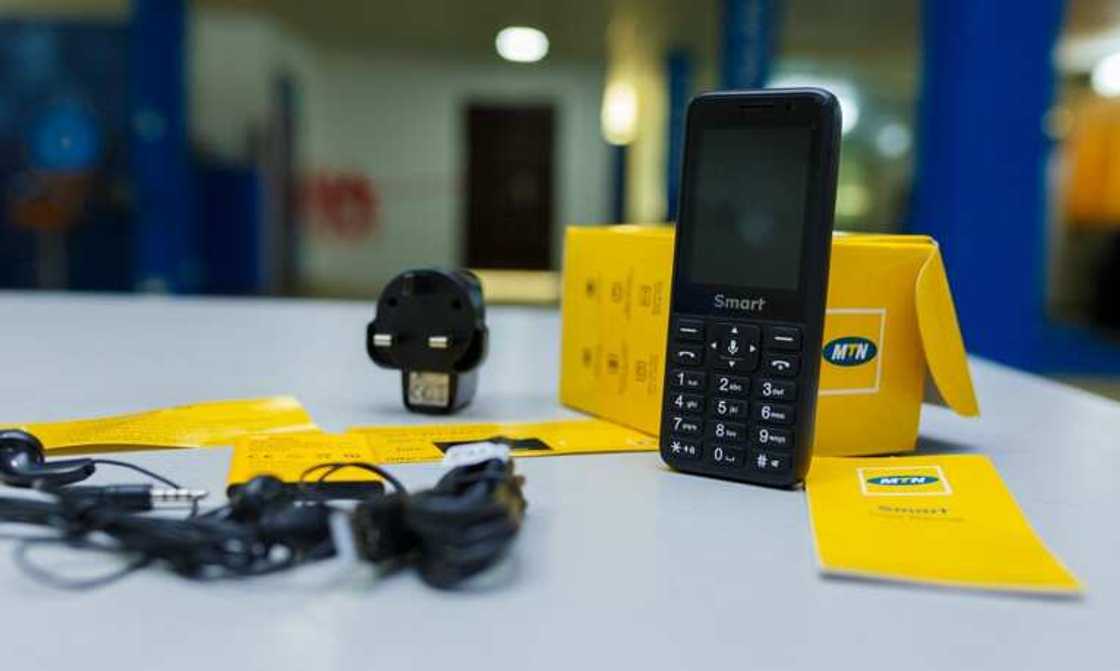

Seeing a “SIM Not Registered” message on your phone can be alarming—especially if you rely on your MTN line for calls, data, work, banking alerts, or Mobile Money (MoMo). In Ghana, SIM registration is no longer optional. Every active SIM must be correctly linked to a Ghana Card, and any mismatch or incomplete registration can trigger restrictions or total service suspension.

This Accra Street Journal guide explains why your MTN SIM may show “Not Registered,” what it means, and exactly how to fix it—step by step—so you can restore full service and remain compliant in 2026 and beyond.
What Does “SIM Not Registered” Mean on MTN?
When MTN displays “SIM Not Registered,” it means your phone number:
📢 GET A DETAILED ARTICLES + JOBS
Join ASJ's WhatsApp Channel and never miss a post or opportunity.
-
Is not fully linked to a valid Ghana Card
-
Has incomplete or failed biometric verification
-
Has data-start=”1300″ data-end=”1346″>conflicting or incorrect registration data
-
Has been flagged during regulatory audits
In most cases, the SIM still exists in MTN’s system, but it is restricted due to regulatory requirements.
Why SIM Registration Is Strict in Ghana
SIM registration supports:
-
Mobile Money protection
-
Identity verification in digital services
The National Communications Authority (NCA) requires all telecom operators—including MTN—to enforce full compliance using the Ghana Card as the sole ID.
Common Reasons Your MTN SIM Is Not Registered
Understanding the cause helps you fix the issue faster.
1. SIM Was Never Registered with Ghana Card
Some older MTN SIMs were activated before Ghana Card enforcement.
Result:
SIM flagged as unregistered.
2. Incomplete SIM Registration
You may have started registration but:
-
Did not complete biometric capture
-
Experienced system/network errors
Result:
Partial registration, SIM restricted.
3. Incorrect Ghana Card Details
Common errors include:
-
Wrong Ghana Card number
-
Name mismatch
-
Typographical errors
Result:
Verification failure.
4. SIM Registered Under Another Person’s Name
SIMs registered using someone else’s Ghana Card are often flagged.
Result:
Ownership conflict.
5. SIM Swap or Replacement Issues
After SIM replacement, re-registration may be required.
Result:
System temporarily flags SIM.
6. Regulatory Clean-Up or Network Audit
MTN regularly audits SIM databases.
Result:
SIM temporarily suspended pending verification.
How to Check Your MTN SIM Registration Status
Before fixing the issue, confirm your SIM’s status.
MTN SIM Registration Status Code
Dial: *400#
What You’ll See
-
Fully registered
-
Partially registered
-
Not registered
If it shows “Not Registered”, action is required.
How to Fix “SIM Not Registered” on MTN (Step-by-Step)
There are two main ways to fix SIM registration issues.
Method 1: Register Your SIM Using USSD Code
This method works if your SIM is still active.
USSD Code
Dial: *404#
Steps
-
Insert your MTN SIM into your phone
-
Dial
*404# -
Select SIM Registration
-
Enter your Ghana Card Number
-
Format: GHA-XXXXXXXXX-X
-
-
Confirm your personal details
-
Follow prompts to complete registration
This method is suitable for initial linking, but biometric capture may still be required.
Method 2: Visit an MTN Service Centre (Recommended)
This is the most reliable solution, especially if your SIM is blocked or partially registered.
What to Bring
-
Original Ghana Card
-
Your MTN SIM (if available)
-
Knowledge of your MTN number
Steps at the Service Centre
-
Request SIM registration or correction
-
Biometric (fingerprint) capture
-
System confirmation
Most issues are resolved within minutes.
What If Your SIM Is Already Blocked?
If your SIM is blocked:
-
You cannot complete registration via USSD
-
You must visit an MTN Service Centre
Once verified, MTN will:
-
Reactivate the SIM
-
Restore calls, data, and MoMo access
Fixing Common SIM Registration Problems
Problem 1: Ghana Card Not Found
Cause: Card not active in national database
Fix: Confirm card activation or visit service centre
Problem 2: Name Mismatch
Cause: SIM registered with nickname or wrong spelling
Fix: Data correction at MTN service centre
Problem 3: SIM Registered in Someone Else’s Name
Cause: Third-party registration
Fix:
-
Registered owner must be present
-
Or SIM must be re-registered properly
Problem 4: Multiple SIMs on One Ghana Card
Cause: Exceeding allowed SIM limits
Fix: Rationalise SIMs or visit MTN for review
How SIM Registration Affects Mobile Money (MoMo)
If your SIM is not registered:
-
MoMo access may be restricted
-
Cash-out and transfers may fail
-
Wallet recovery may be impossible
Once registration is fixed:
-
MoMo wallet remains intact
-
Balance and transaction history are preserved
How Long Does It Take to Fix SIM Registration?
-
USSD method: Immediate to a few minutes
-
Service centre: 10–30 minutes
In most cases, services are restored the same day.
How to Avoid SIM Registration Problems in the Future
-
Always register SIMs with your own Ghana Card
-
Double-check details before confirmation
-
Avoid using agents who rush the process
-
Keep your SIM active
-
Periodically check registration status with
*400#
Frequently Asked Questions (FAQs)
Q1: Can I fix SIM registration without a Ghana Card?
No. The Ghana Card is mandatory.
Q2: Is MTN SIM registration free?
Yes. Registration and corrections are free.
Q3: Can I register multiple MTN SIMs with one Ghana Card?
Yes, within regulatory limits.
Q4: Will fixing SIM registration delete my data or contacts?
No. SIM registration does not affect phone data.
Q5: Can someone register my SIM for me?
No. The registered owner must be present for biometric verification.
Conclusion From ASJ
A “SIM Not Registered” message on MTN is not the end of your line—it is a regulatory alert that your SIM needs proper verification. With simple steps like dialing *404#, checking your status via *400#, or visiting an MTN Service Centre with your Ghana Card, you can quickly restore full service.
In a digital economy where mobile numbers power communication, payments, and identity, keeping your MTN SIM properly registered is essential—not optional.
Source: Accra Street Journal
Last Updated on March 9, 2026 by Samuel Kwame Boadu
Disclaimer: Some content on Accra Street Journal may be aggregated, summarized, or edited from third-party sources for informational purposes. Images and media are used under fair use or royalty-free licenses. Accra Street Journal is a subsidiary of SamBoad Publishing Hub under SamBoad Business Group Ltd, registered in Ghana since 2014.
For concerns or inquiries, please visit our Privacy Policy or Contact Page.

Samuel Kwame Boadu is a Ghanaian media entrepreneur and storyteller with a passion for amplifying urban voices and uncovering everyday truths. He is the Editor-in-Chief and Founder of Accra Street Journal, a dynamic digital platform dedicated to capturing the pulse of Ghana’s capital—its people, culture, challenges, business, sports and innovations.